Memora
A voice journal that stays yours
Memora is a voice-first memory app. Speak a thought — get back a clean, searchable entry, with summaries, action items, and a chat that answers questions grounded in your own archive. Everything runs on your device.
Now available in the U.S., Canadian, Russian, and Uzbek App Store, with more regions on the way.
Zero
Servers
No backend, no account, no telemetry
On-device
Transcription
Runs on Apple’s Neural Engine
6
Agent Personas
Same recording, different lens
iOS 26.2+
Platforms
iPhone, iPad, and Apple Silicon Mac
Every recording becomes an entry
Voice in. A structured, searchable, AI-enriched note out. No retyping, no cleanup, no “I’ll come back to this later.”
Voice Capture
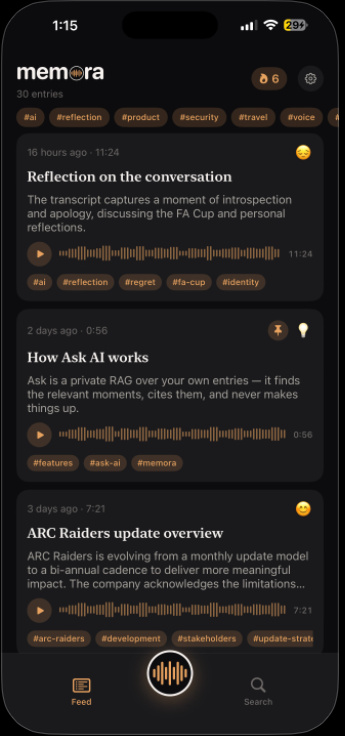
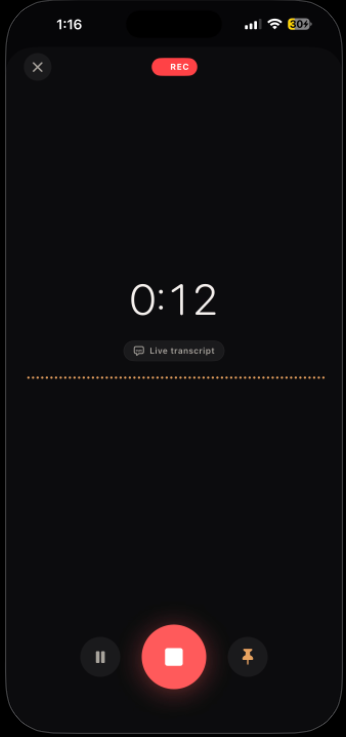
One tap to record a 30-second thought or a 30-minute meeting. Live waveform, pin the moments you want to revisit, and on-device transcription as you speak.
Multilingual Transcription
Live, on-device speech-to-text that auto-detects the spoken language and re-transcribes in it — English, Russian, Spanish, German, French, Chinese, Arabic, and more.
Speaker Intelligence
Automatic diarization labels who spoke when. Name a voice once and Memora recognizes it in future recordings — and credits summaries to the right person.
Auto Summaries
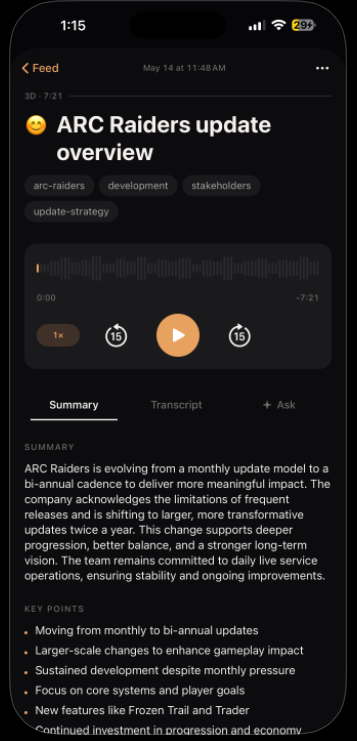
Every recording becomes a tidy entry — title, summary, key points, action items, mood, and tags — written from what you actually said, never invented.
Ask Your Archive
A private retrieval over your own notes. Ask in plain English, get a short grounded answer with citations back to the original recording — or an honest “not in your archive.”
Searchable Transcripts
Timestamped transcripts with hybrid keyword + semantic search across years of thinking. Tap any line to hear it again.
Listen Back
Hear any entry read aloud with on-device neural voices, fully offline. Or paste in text and let Memora turn it into a spoken entry that joins the same pipeline.
On-device Privacy
Audio, transcription, and AI all run on the device that recorded them. No account, no telemetry, no server in the loop — your life isn’t training data.
MCP Server
Ships a read-only, bearer-token, loopback MCP server so Claude Code, Claude Desktop, and Cursor can search your entries and answer grounded in your own voice.
Three steps. Two are automatic.
Tap the mic and talk. A few seconds later, a tidy entry. Then search — or just ask.
Record
Tap the mic and talk. Live transcript, a pulsing ring, and pin-as-you-go.
Summary
A few seconds later — a tidy entry with key points and action items.
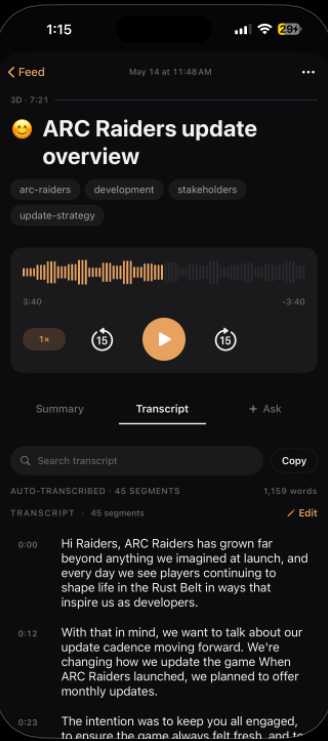
Transcript
Every word, timestamped and searchable. Tap a line to replay it.
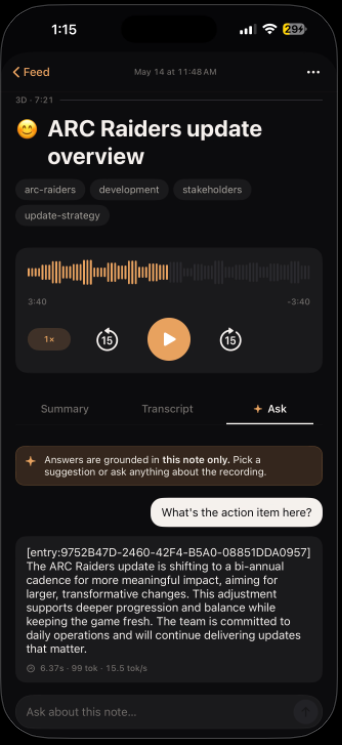
Ask
A second brain that cites itself — answers grounded in your archive only.
Your life isn’t training data
Audio stays on the device that recorded it. Transcription and the AI both run on your phone — Memora never phones home with what you said.
Transcription is on-device only
Speech-to-text runs on the Neural Engine. There’s no server that ever sees your audio or your words.
The model lives on your phone
Summaries, Ask, and embeddings run on a local model you choose. The model file and the index live on your disk.
There’s no Memora login
No sign-up, no email, no telemetry. iCloud sync is your Apple ID, end-to-end — Memora isn’t in the loop.
Out now on the App Store
Memora is available today for iPhone, iPad, and Mac in the U.S., Canadian, Russian, and Uzbek App Store, with more regions on the way. One purchase, no subscription, no account — and it’s yours forever.